Run A Farm guide
Run A Farm Workers and Automation
Choose the right Run A Farm worker for eggs, planting or harvesting. Read Farm Office slots, Tractor Barn locks and Walk Speed or Carry upgrades.
Quick answer
Hire a Stocker for eggs, a Planter for sowing or a Farmhand for harvesting. Tractor Driver is locked behind the Tractor Barn in the reviewed build.
Choose and verify a worker
Follow the current interface and read purchase prerequisites.
Match the worker to the missing job
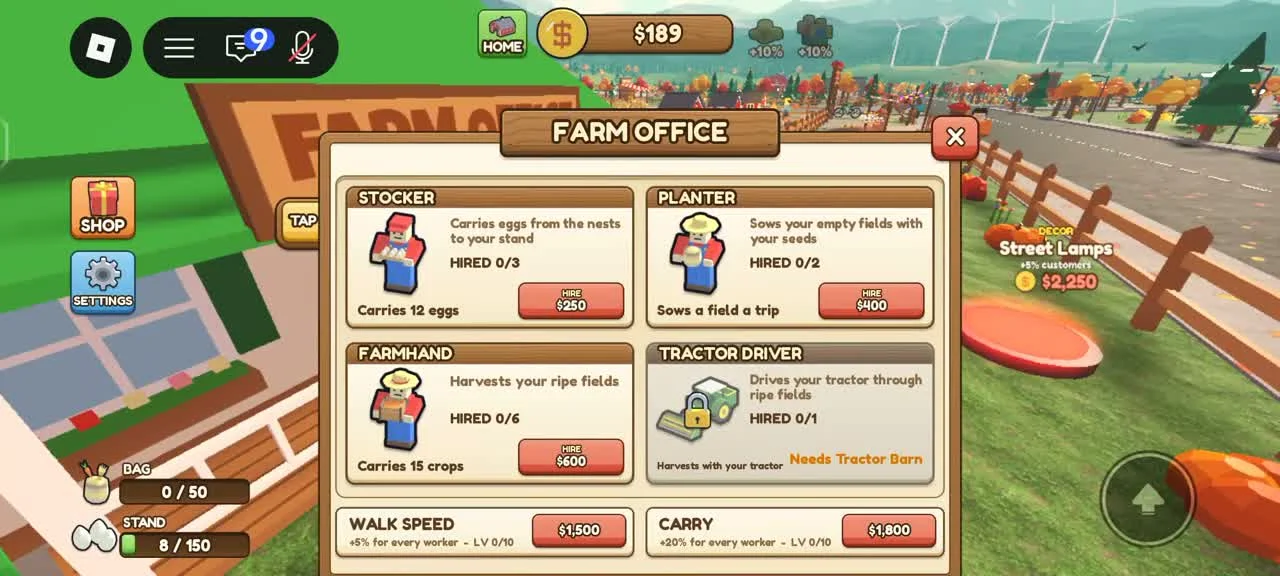
Stocker carries eggs from nests to your stand. Planter sows empty fields with your seeds. Farmhand harvests ripe fields. Tractor Driver uses your tractor on ripe fields.
- Success check
- The chosen role description names the job that is currently unattended.
- If it remains unclear
- Choose by the bottleneck you can see: uncollected eggs, empty fields or ripe crops left standing. A Planter cannot be assumed to harvest, and a Farmhand cannot be assumed to restock eggs.
Check worker slots and prerequisites
The recorded Farm Office shows a hired count for each role and a Hire button where available. Tractor Driver displays Needs Tractor Barn.
- Success check
- The role hired count increases and its worker performs an available task.
- If it remains unclear
- Read the current count, cost and lock text before hiring. After purchase, return to the farm and watch whether the intended job happens; check seed availability and ripe fields if a crop worker is idle.
Compare Walk Speed and Carry upgrades
Walk Speed and Carry are separate Farm Office upgrades. The recorded panel describes Walk Speed as a percentage for every worker and Carry as a capacity percentage for every worker.
- Success check
- The chosen Walk Speed or Carry level changes after the purchase.
- If it remains unclear
- Read the current level and price. Speed may help long trips; carry may help repeated small loads. No measured universal payback ranking has been established, so compare your actual worker trips.
Verify an automated loop before expanding
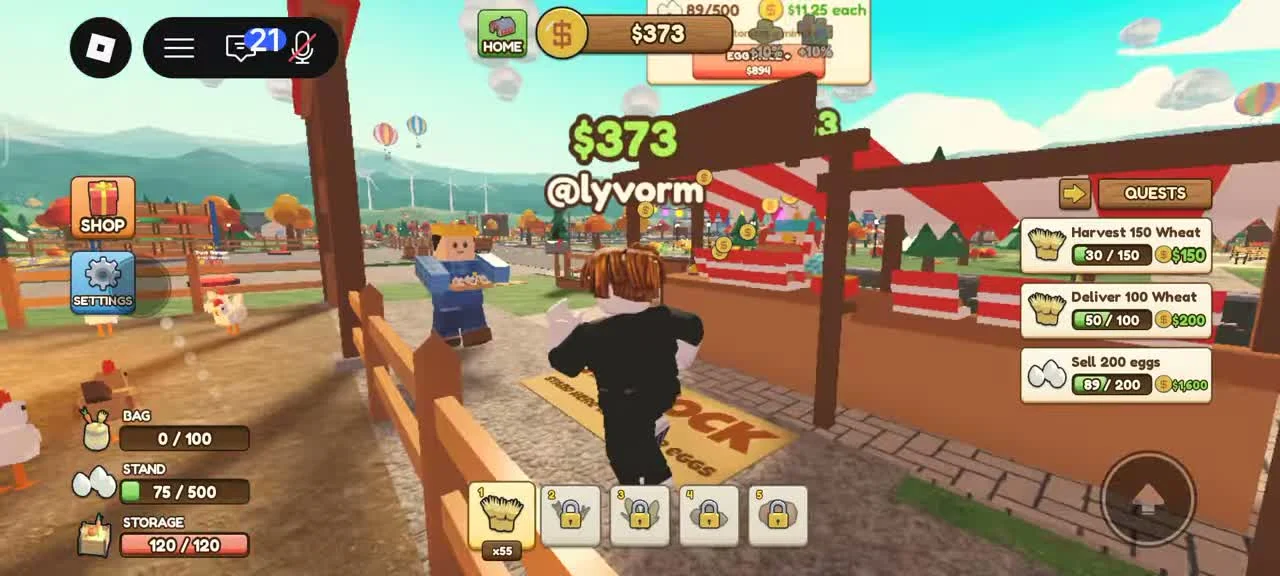
Watch one worker pick up or process goods, finish a trip and change the destination stock or field state. This makes it easier to tell whether the next purchase fixes a real limit.
- Success check
- A complete worker trip changes the stand stock or the field state.
- If it remains unclear
- If a worker is idle, check that its source exists and its destination has room. Do not buy several roles while the required field, seed supply or building remains unavailable.
Scope and sources
Official description and reviewed gameplay checked November 5, 2026.
- For Run A Farm! by Farm CStudios. Recorded prices and interface details may change; read your current purchase prompt.