Run A Farm guide
Run A Farm Beginner Guide
Start Run A Farm with a practical route through collecting eggs, restocking the stand, claiming quests and choosing your first crop or worker upgrade.
Quick answer
Collect eggs from the coop area, carry them to the RESTOCK pad, let customers buy them and follow the tutorial before expanding.
Your first farm route
Follow the current interface and read purchase prerequisites.
1. Move eggs to the stand
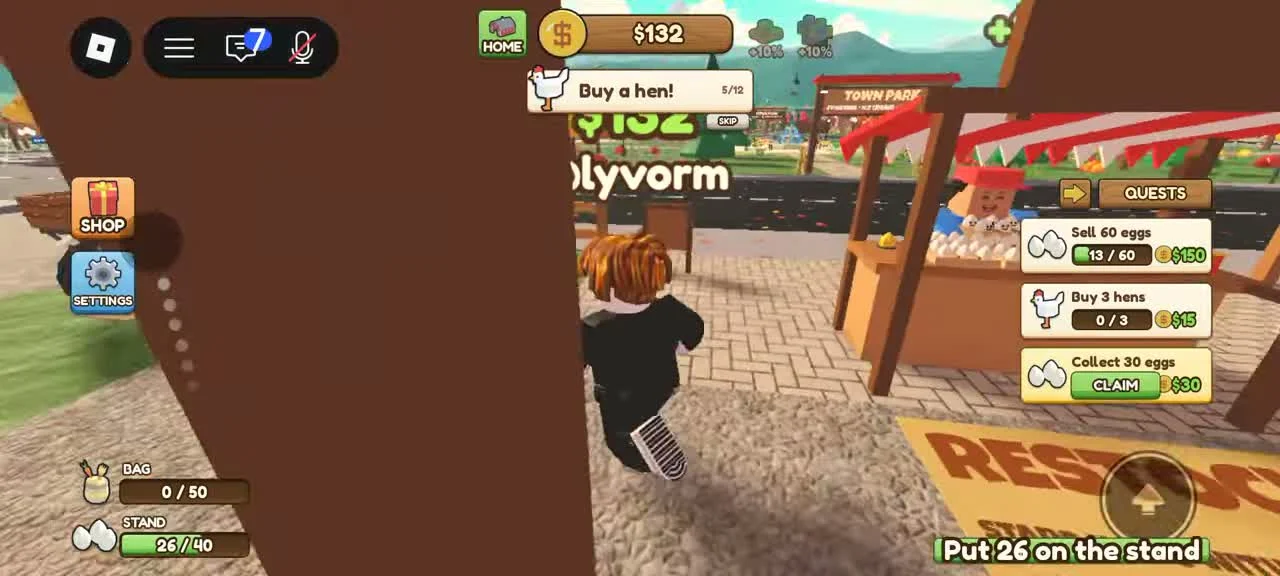
The first coop supplies eggs. The reviewed recording shows a BAG meter and a separate STAND meter at the lower left. Collecting eggs fills your bag; it does not immediately fill the stand.
- Success check
- The BAG count falls while the STAND count rises at RESTOCK.
- If it remains unclear
- Walk onto the RESTOCK area beside the wooden stand. Check that the bag count falls and the stand count rises. If customers stop buying, inspect the stand before buying another coop.
2. Follow the tutorial and claim finished quests
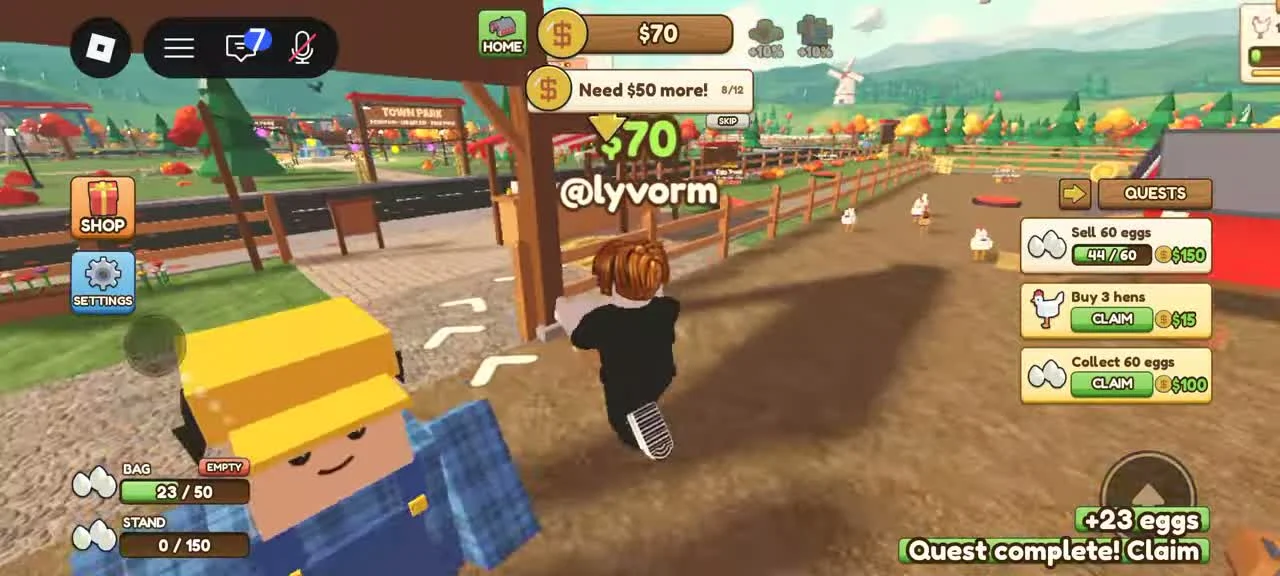
The tutorial at the top gives specific tasks such as raising the egg price, buying a hen and riding a bike. The right-hand quest panel tracks collection and sales separately.
- Success check
- The completed quest reward is claimed and the tutorial advances to its next task.
- If it remains unclear
- Do the displayed task, then check the green Claim control on completed quests. A collection objective can progress before a sale objective, because gathering and selling happen at different stages.
3. Expand one working loop at a time
The recording shows purchase pads for new coops, more hens, fields, shelves and vehicles. Read both the item label and the price on each pad before stepping onto it.
- Success check
- The purchased coop, field or shelf appears and its related inventory meter can be checked.
- If it remains unclear
- Keep enough money for the next tutorial action. Once a wheat field is available, plant, wait for ripe wheat, harvest and move the crop through the available selling route.
4. Automate the task that is slowing you down
The Farm Office has Stocker, Planter, Farmhand and Tractor Driver roles. Each handles a different stage; buying a worker does not automate every farm job.
- Success check
- The hired count changes and the worker completes the job you selected.
- If it remains unclear
- Use the workers guide to choose a role, then watch a complete worker trip and the relevant stock meter. If the next role is locked, read its building prerequisite.
Mining: check the unlock before spending
Read the live mine unlock and its tool or building prerequisite.
- Success check
- The current unlock prompt identifies its cost and tool or building prerequisite.
- If it remains unclear
- Keep the established egg and crop loop running while checking the unlock.
Scope and sources
Official description and reviewed gameplay checked November 5, 2026.
- For Run A Farm! by Farm CStudios. Recorded prices and interface details may change; read your current purchase prompt.